Quickstart
With nilAI, it is possible to run AI models within a trusted execution environment (TEE) via the secretLLM SDK. This makes it possible to build new private AI applications or migrate existing ones to run on a secure nilAI node so that your data remains private.
Getting Started
In this quickstart, we will interact with a private AI chat/response application via Next.js. Let's get started by cloning our examples repo.
gh repo clone NillionNetwork/blind-module-examples
cd blind-module-examples/nilai/secretllm_nextjs_nucs
Authentication
cp .env.example .env
Now we need to set NILLION_API_KEY using a key from the Nillion Subscription Portal below.
Usage
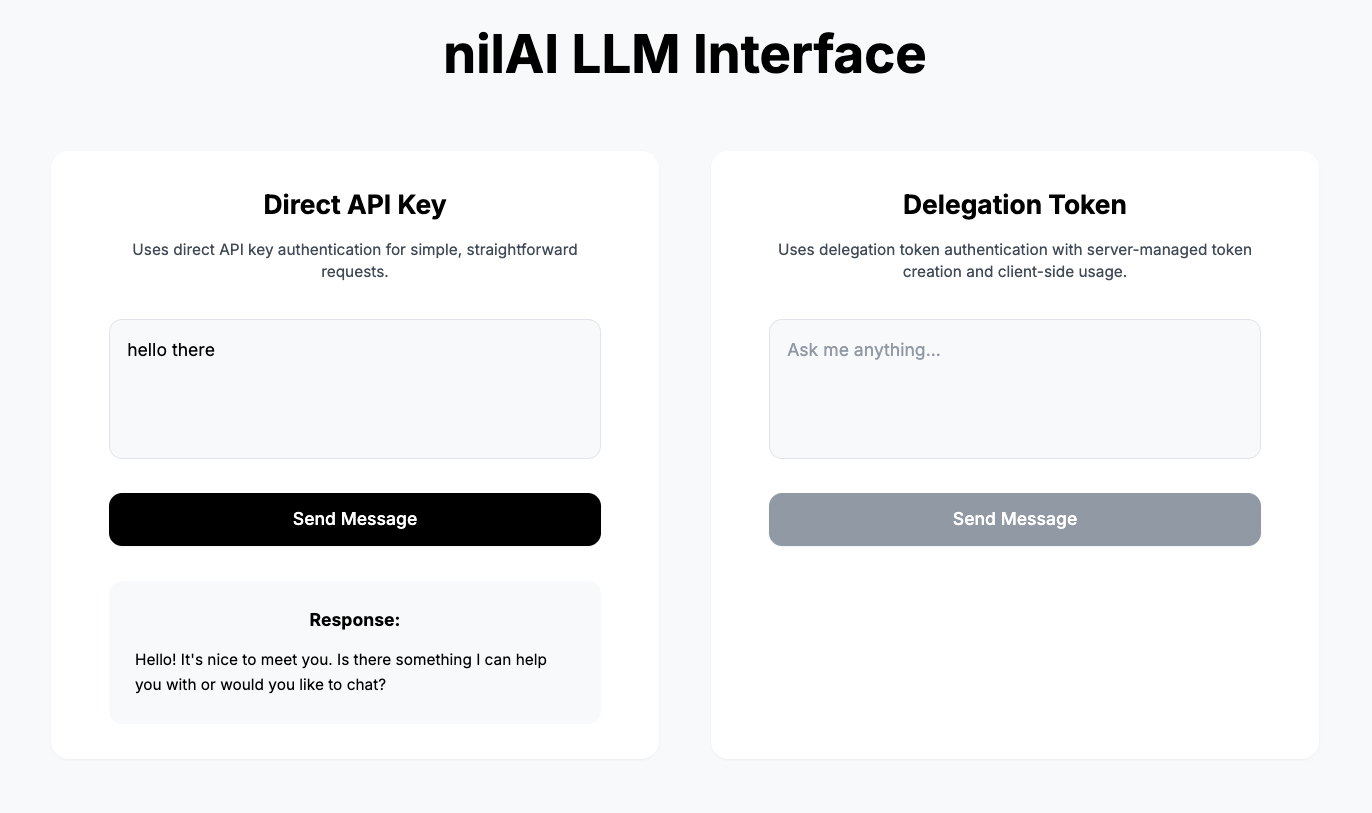
We have two approaches for using the nilAI API via secretLLM:
- Direct API Access: Recommended for a solo developer/organization.
- Delegation Token: Provides permissions to another user or organization.
Direct API Access
- Get the API key from your
.envfile. - Check if the message and API key exist.
- Initialize the nilAI OpenAI client with
baseURL,apiKey, andnilauthInstance. - Make a request to the chat client with the
modelandmessage. - Receive the response from
message.content.
loading...
Delegation Token Access
- Similar to Direct API access, except using
DELEGATION_TOKENauthentication. - Server initializes a delegation token server.
- Client produces a delegation request.
- Server creates the delegation token.
- Client uses the delegation token with the
modelandmessagefor the request. - Response is delivered.
loading...
Customization
You can also customize the types of models you want to use. Currently available models are listed here.
What you've done
🎉 Congratulations! You just built and interacted with a privacy‑preserving LLM application:
- You (Builder) get access to the secretLLM SDK.
- You (User) can provide a prompt to the LLM.
- The LLM understands your prompt and returns an answer via direct or delegated access.
This demonstrates a core principle of private AI: you can create endless private AI applications via Nillion.